
From Data Overload to Clear Decisions: A Practical Guide to Getting Real Value from Your Analytics
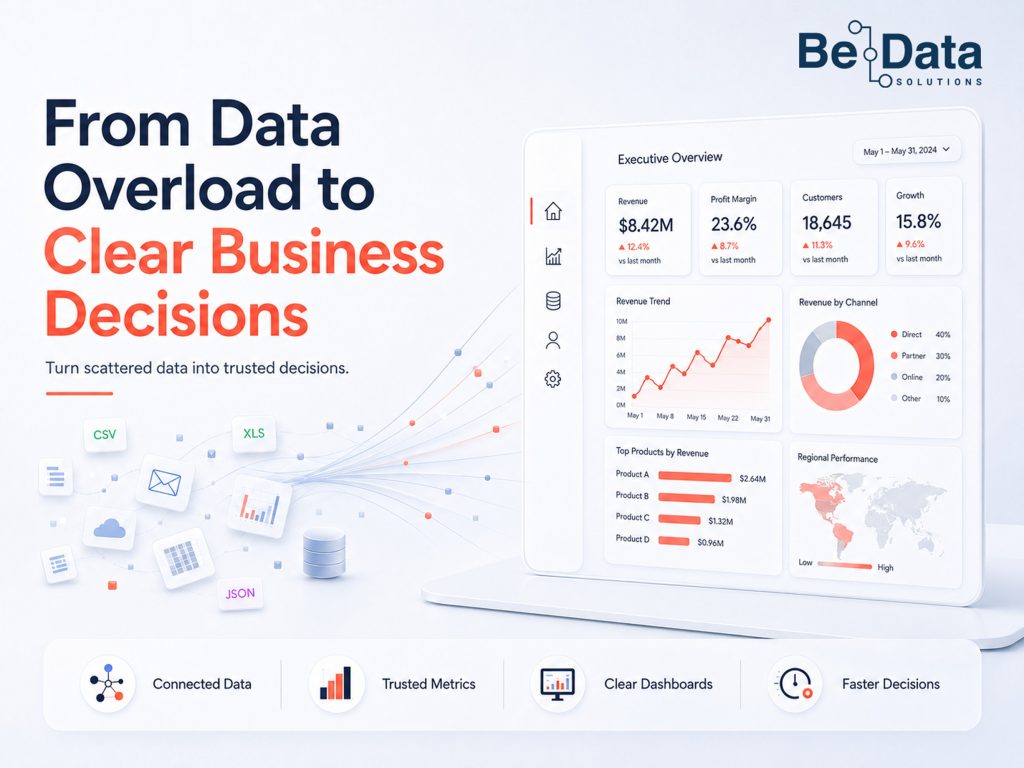
Most businesses today are not short of data. They are short of clarity.
A mid-sized UK retailer we spoke to recently had Power BI connected to their Shopify store, their CRM, and their Google Ads account. They had 11 dashboards. Their Monday morning management meeting still started with someone pulling numbers from a spreadsheet they had built manually over the weekend — because nobody trusted the dashboards.
That is not a technology problem. It is a process problem. And it is far more common than most businesses admit.
This guide walks through the six most common places where analytics breaks down, with concrete examples of what goes wrong and exactly what to do differently.
Why Most Analytics Efforts Fail to Deliver
Before getting to what works, it is worth being specific about what fails.
A 2024 Gartner study found that 73% of business intelligence initiatives fail to deliver measurable ROI. The reasons are rarely the tools. They are almost always the same three mistakes:
Mistake 1: Starting with tools, not questions. A business buys a BI platform, connects some data sources, and builds dashboards. Six months later, nobody is using them for decisions because the dashboards answer questions nobody was asking. One professional services firm we know spent £40,000 implementing Tableau — only to find their partners still emailed each other Excel files because the Tableau reports did not show billable hours by client in the format they needed.
Mistake 2: Measuring everything instead of what matters. When every metric is visible, no metric feels important. Teams sit in reporting meetings staring at 30 numbers without knowing which three to act on. The result is analysis paralysis, not faster decisions.
Mistake 3: Treating analytics as an IT project. Analytics only delivers value when the people making business decisions understand the data and trust it. A beautifully engineered pipeline feeding a dashboard nobody opens is worth nothing.
The fix is always the same: work backwards from the decision, not forwards from the data.
Step 1: Start With Your Most Important Questions
The foundation of any useful analytics setup is a short list of questions that your business genuinely needs answered — not KPIs, not metrics, but questions tied directly to decisions.
Here is the simplest way to find them. Think about the last three significant business decisions you made. What information did you wish you had? What did you have to guess at?
To make this concrete, here are examples from three different types of businesses and the questions that actually mattered to them:
| Business Type | The Question They Were Asking | The Decision It Drove |
|---|---|---|
| E-commerce retailer | Which products have high return rates that wipe out the margin? | Stop promoting high-return SKUs in paid ads |
| Professional services firm | Which client engagements cost more to deliver than we billed? | Reprice or decline similar briefs |
| SaaS company | At which point in the trial do users drop off before converting? | Fix onboarding, not the pricing page |
| Healthcare provider | Which referral sources send patients who complete their treatment plan? | Redirect marketing budget to those sources |
| Logistics company | Which delivery routes consistently run late, and at what cost? | Renegotiate carrier contracts or reroute |
Notice that none of these started with “we need a dashboard.” Each started with a real business problem that was costing money or opportunity.
Practical action: Spend 30 minutes with your senior team listing the five questions that, if answered reliably each month, would most change how you run the business. Rank them by the cost of not knowing the answer. Start with the one at the top.
Step 2: Audit What Data You Actually Have
Once you know what questions matter, the next step is understanding what data you have — and whether you can trust it.
Most businesses are surprised by this exercise. They have more data than they realise, but it is scattered, inconsistent, and often contradictory.
Here is an example of what a realistic data audit looks like for a mid-sized e-commerce business:
| System | What It Holds | Owner | Trust Level | Problem |
|---|---|---|---|---|
| Shopify | Orders, products, refunds | Head of Operations | High | Refunds not always tagged with reason |
| HubSpot CRM | Leads, deals, customer contacts | Sales Manager | Medium | Duplicate contacts — same customer in 3 records |
| Google Analytics 4 | Website sessions, conversions, traffic source | Marketing Manager | Medium | Conversion events misfiring after site update |
| Finance system (Xero) | Invoices, payments, costs | Finance Director | High | Not connected to any other system |
| Spreadsheet (manual) | Weekly sales summary | Sales Manager | Low | Built differently by different people each week |
This is not an unusual picture. It is the normal state of most organisations that have grown organically. The important thing is not to be embarrassed by it — it is to be honest about it, because this audit determines what you can and cannot trust when you build your analytics.
What to look for:
- Where the same entity (customer, order, product) appears in multiple systems under different names
- Which data sources have no clear owner — if nobody owns it, nobody maintains it
- Which figures people routinely override or “sense-check” in a spreadsheet before using
Practical action: Create a one-page version of the table above for your own business. It will surface more about your analytics readiness than any technology audit.
Step 3: Define Your Metrics — and Agree on Them
The “which number is right?” problem destroys trust in analytics faster than anything else.
Here is a real example of how this plays out. A retail client came to us because their weekly trading meeting had become unproductive. The sales team reported revenue of £520,000. The finance team reported £487,000. The e-commerce team reported £534,000. All three were pulling from different systems, using different definitions, and covering slightly different time windows.
Nobody was wrong. But nobody trusted anybody else’s numbers either.
The fix was not technical. It was definitional. We sat the three teams in a room and agreed on a single answer to each of these questions:
| Metric | The Question to Agree On | Example Answer |
|---|---|---|
| Revenue | Gross or net? Includes VAT? When is it recognised — on order or on payment? | Net revenue, ex-VAT, recognised on fulfilment date |
| Active customer | What time window? What counts as an interaction? | A customer with at least one paid order in the last 12 months |
| Conversion rate | Sessions or users as denominator? Which conversion counts — add to basket or completed purchase? | Completed purchases ÷ unique sessions |
| Return rate | By order volume or revenue? When is a return recorded? | By order, recorded on the date the refund is processed |
| Cost per acquisition | Which spend is included? Which channels? | Total paid media spend ÷ new customers acquired, all channels combined |
Once these were agreed and written down, the Monday meeting stopped being a debate about whose numbers were right. It became a conversation about what the numbers meant.
Practical action: Pick your top five metrics. Write one sentence for each defining exactly what it measures, how it is calculated, and what counts as the start and end of the measurement window. Get sign-off from everyone who uses those numbers. Put it somewhere central — a shared doc, a Notion page, a wiki.
Step 4: Build Simple, Focused Dashboards
A good dashboard does one thing: it tells the viewer in under 30 seconds whether things are on track and where they need to look next.
Most dashboards fail this test because they try to show everything. Here is a concrete example of the difference between a dashboard that looks thorough and one that actually drives decisions.
Before: A Cluttered E-commerce Dashboard (22 Metrics)
Sessions · Bounce Rate · Pages Per Session · Avg Session Duration · New vs Returning Visitors · Conversion Rate · Add to Basket Rate · Checkout Abandonment · Orders · Revenue · Avg Order Value · Units Sold · Top Products · Return Rate · Net Revenue · Gross Margin · CAC · LTV · Email Open Rate · Email Click Rate · Social Followers · Ad Spend
Nobody acts on 22 metrics. They skim past them.
After: A Weekly Trading Dashboard (7 Metrics)
| Metric | This Week | Last Week | Target | Status |
|---|---|---|---|---|
| Net Revenue | £94,200 | £98,400 | £100,000 | ⚠️ 6% below target |
| Orders | 1,847 | 1,912 | 1,900 | ⚠️ Slightly below |
| Avg Order Value | £51.00 | £51.50 | £52.00 | ✅ On track |
| Conversion Rate | 2.8% | 3.1% | 3.0% | ⚠️ Watch |
| Return Rate | 12.4% | 11.8% | <12% | ❌ Above threshold |
| Net Promoter Score | 72 | 74 | 70 | ✅ Strong |
| CAC (Paid) | £18.40 | £16.20 | <£17.00 | ❌ Rising |
Seven numbers. Three statuses. Everyone in the Monday meeting knows exactly what to discuss before anyone opens their laptop.
Key design principles to follow:
- Limit each dashboard to 5–9 metrics. Cognitive research consistently shows that more than nine numbers on a single view causes people to disengage.
- Always show the trend, not just the number. £94,200 revenue means nothing without a comparison. £94,200 against a £100,000 target, down from £98,400 last week, is a conversation worth having.
- Use status indicators. Green/amber/red removes ambiguity. It forces a definition of “good” before the data comes in, not after.
- Build dashboards for one audience at a time. A CEO dashboard and a marketing manager dashboard should look completely different. Design each one for the specific decisions its audience makes.
Practical action: Take your most-used dashboard. Count the metrics. For each one, ask: what decision does this inform? If the answer is “none” or “I’m not sure,” remove it.
Step 5: Connect Your Data Sources
Manual data work is the enemy of reliable analytics. Every time someone exports a CSV from Salesforce, pastes it into a spreadsheet, does some matching, and sends it to the finance team — that process has error risk. It will produce inconsistencies. And when numbers are questioned in a meeting, the answer will always be “let me check that” rather than “here it is.”
Here is an illustration of what a connected analytics setup looks like for a B2B professional services firm, compared to where most firms start:
Typical starting point (disconnected): The CRM, finance system, and project management tool each live in their own silo. An analyst manually exports data from each one, pastes everything into Excel on Friday afternoon, and emails a report to leadership on Monday. By the time anyone reads it, the data is already three days old.
Target state (connected): A data pipeline runs automatically every night, pulling from HubSpot, Xero, Asana, and the time-tracking tool into a central data warehouse. The Power BI dashboard refreshes daily. Leadership opens it each morning with data that is 24 hours old — not 72.
| Disconnected (Before) | Connected (After) | |
|---|---|---|
| Data freshness | 3–5 days old by the time it reaches leadership | Updated overnight, visible by 9 am |
| Effort to produce | 3–4 hours of manual work per week | Automated — runs without anyone touching it |
| Error risk | High — copy-paste errors, mismatched time windows | Low — same logic applied every run |
| Trust | “Let me double-check that figure” | “Here it is” |
The result is not just speed. It is trust. When everyone is looking at the same numbers drawn from the same source on the same schedule, the “which number is right?” problem disappears.
For most mid-sized businesses, achieving this does not require a data warehouse on day one. A lightweight pipeline that pulls from two or three core systems into a single reporting layer — updated daily or weekly — is enough to transform how quickly and confidently the business can move.
The three things any connected data setup needs:
| Requirement | What It Means in Practice |
|---|---|
| Reliability | The pipeline runs on a schedule. Someone is alerted if it fails. |
| Traceability | You can see where any number came from and how it was calculated. |
| Consistency | The same logic applies every run — no manual overrides that get forgotten. |
Practical action: Find one manual reporting process in your business that takes more than two hours per week and requires copying data between systems. That is the first automation to invest in.
Step 6: Make Analytics Part of How You Operate
Technology alone does not make a business data-driven. Habits do.
The most data-mature organisations we work with share one thing in common: they have a rhythm. A fixed, regular meeting where the numbers are reviewed, anomalies are discussed, and actions are agreed. Not a two-hour quarterly review. A focused 45-minute weekly session where seven metrics go under the microscope.
Here is the difference between businesses that use data well and those that invest in tools and then wonder why nothing changes:
| Behaviour | Organisations That Use Data Well | Organisations That Invest in Tools But Struggle |
|---|---|---|
| When decisions are made | After reviewing the data | Based on gut, with data referenced afterwards to support |
| When a question comes up in a meeting | Someone pulls up the dashboard | Someone says “I’ll check that and send it round” |
| How KPIs are discussed | Compared to target and prior period | Reported in isolation — “here’s what the number was” |
| What happens when a metric is off | Root cause is investigated | The number is noted and the meeting moves on |
| Who owns the analytics | A named person per metric | “The data team” as a catch-all |
One particular pattern we see repeatedly: organisations that invest heavily in self-service analytics — Power BI, Tableau, Qlik — and then find adoption stays flat. The problem is almost never the tool. It is that people were given access to data without being given a reason to use it.
The fix is culture, not capability. A short internal session showing team members how to read the dashboards, what the metrics mean, and what “good” looks like is often the highest-return investment a business can make in its analytics maturity.
What Good Looks Like: A Before and After
To make this concrete, here is a before and after from a retail client Be Data Solutions worked with. The company was a UK footwear and accessories retailer with both online and in-store channels.
Before:
- Seven separate reports produced by different teams each week
- Revenue figures varied by up to 8% between finance and ecommerce reports
- No agreed definition of “return rate” — one team included exchanges, another did not
- Management meeting spent the first 40 minutes reconciling numbers
- Marketing spend decisions made on “feel” because no attribution existed
After (3 months later):
- One weekly trading dashboard, agreed metrics, single source of truth
- Pipeline connecting Shopify, Xero, and their ad platforms, refreshed nightly
- Return rate broken down by product category and channel — revealing that one footwear category had a 31% return rate that was eroding 60% of its margin
- Management meeting: 10 minutes on numbers, 35 minutes on decisions
- First month with the new setup: identified £120,000 of annual margin leakage from that one return-rate insight alone
The investment to get there was not large. It was focused, phased, and tied directly to a business outcome.
The Diagnostic: Where Is Your Analytics Breaking Down?
If you are not sure where to start, use this quick diagnostic. It takes five minutes and will identify the highest-leverage problem to solve first.
| Statement | True | Partially True | Not True |
|---|---|---|---|
| We have a written definition for our top 5 metrics that everyone agrees on | |||
| Our dashboards are used to make decisions, not just reviewed in meetings | |||
| We can trace any number back to its source without asking someone | |||
| Our reports do not require manual data preparation to produce | |||
| The same question asked by two people returns the same number | |||
| We have a fixed weekly or fortnightly rhythm for reviewing performance data | |||
| Our dashboards have fewer than 10 metrics per view |
Scoring:
- 5–7 “True”: Your analytics foundation is solid. Focus on advanced use cases — cohort analysis, attribution modelling, predictive analytics.
- 3–4 “True”: You have a working foundation with real gaps. Prioritise the “Not True” rows — they are costing you trust and decision speed.
- 0–2 “True”: Start at the beginning. Metric definitions and a single source of truth will deliver more value than any new tool.
Where to Start If You Are Not Sure
The most common thing we hear when walking through this with businesses: “That all makes sense, but we don’t know where to begin.”
Start with one question. One metric. One dashboard. Do not wait until your data is perfect, because it never will be. Do not wait for the right tool, because tools are the easy part. Start with the decision that matters most to your business right now and build the simplest possible system to inform it reliably.
At Be Data Solutions, we work with organisations at every stage of this — from businesses taking their first serious steps with analytics, to enterprises modernising mature data infrastructure to support AI and real-time decision making. Our approach is always the same: start with the business outcome, work backwards to the data, and build only what is needed to get there.
If you would like a conversation about where your organisation stands today and what a practical first step looks like, we are happy to talk it throug